Select "Risks & Opportunities" in the menu and open the risk or opportunity already created in the list by clicking on the line.

In order to be able to add actions in the risk or opportunity, the "Edit" button must first be pressed at the top right. Then, under the "Edit" tab, the action can be started with the "Define action" button.

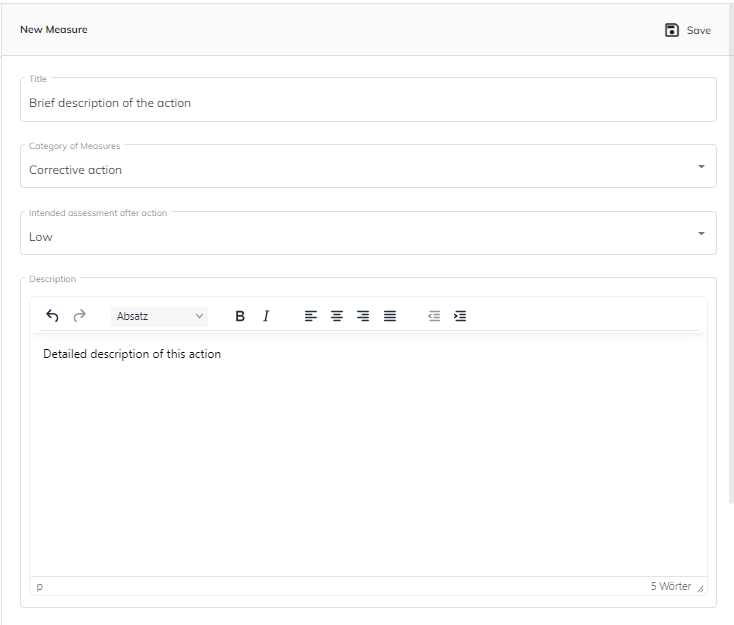
For the new measure, a title or a short description must be inserted first. Then the category is selected. There are 3 categories:
1. improvement action
2. preventive action
3. corrective action
In the text field "Description" the measure can be described in detail.
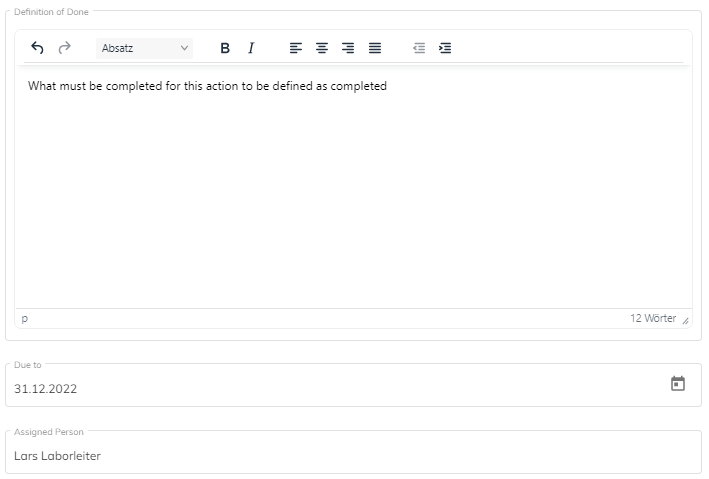
In "Definition of done" points, tasks or checklists can be entered that define the completion of this action.
Subsequently, it must be entered until when it should be done and who should do it.
Finally, the entries of the action must be saved.
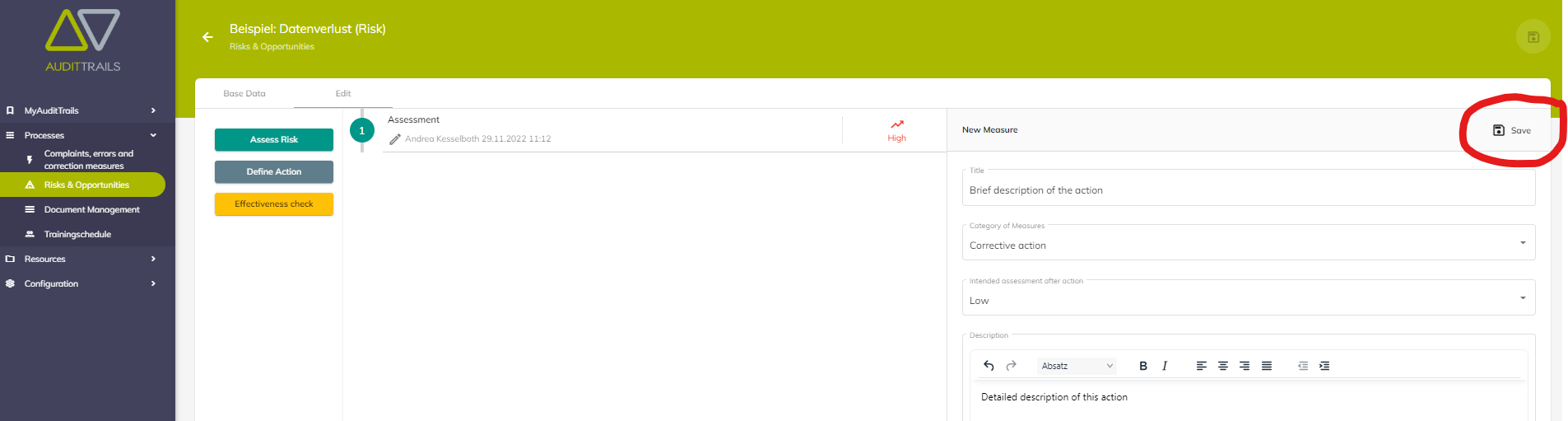
An unlimited number of measures can be created for a risk or an opportunity.
War dieser Artikel hilfreich?
Das ist großartig!
Vielen Dank für das Feedback
Leider konnten wir nicht helfen
Vielen Dank für das Feedback
Feedback gesendet
Wir wissen Ihre Bemühungen zu schätzen und werden versuchen, den Artikel zu korrigieren