Select "Risks & Opportunities" in the menu.
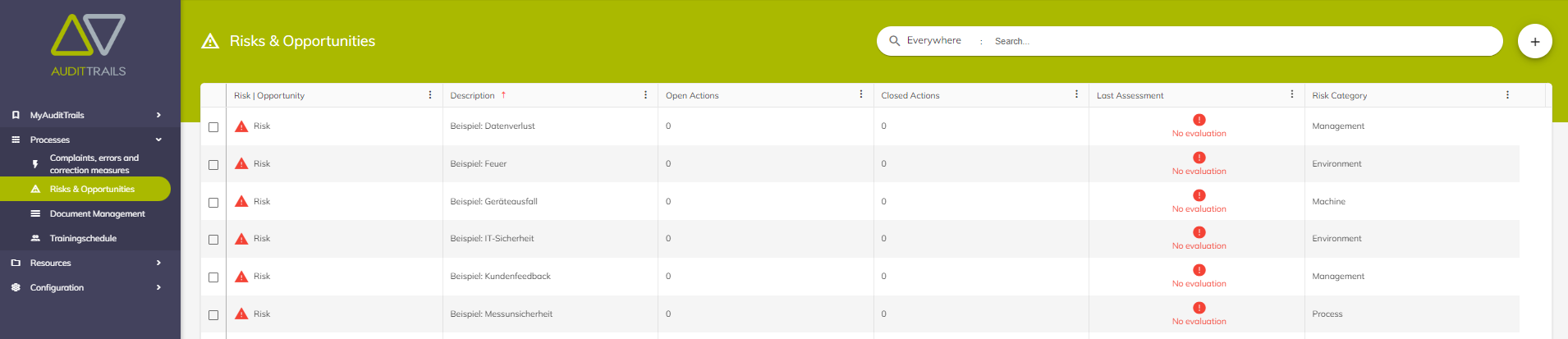
Some examples are already listed in this menu, with the "+" button a new risk can be added.
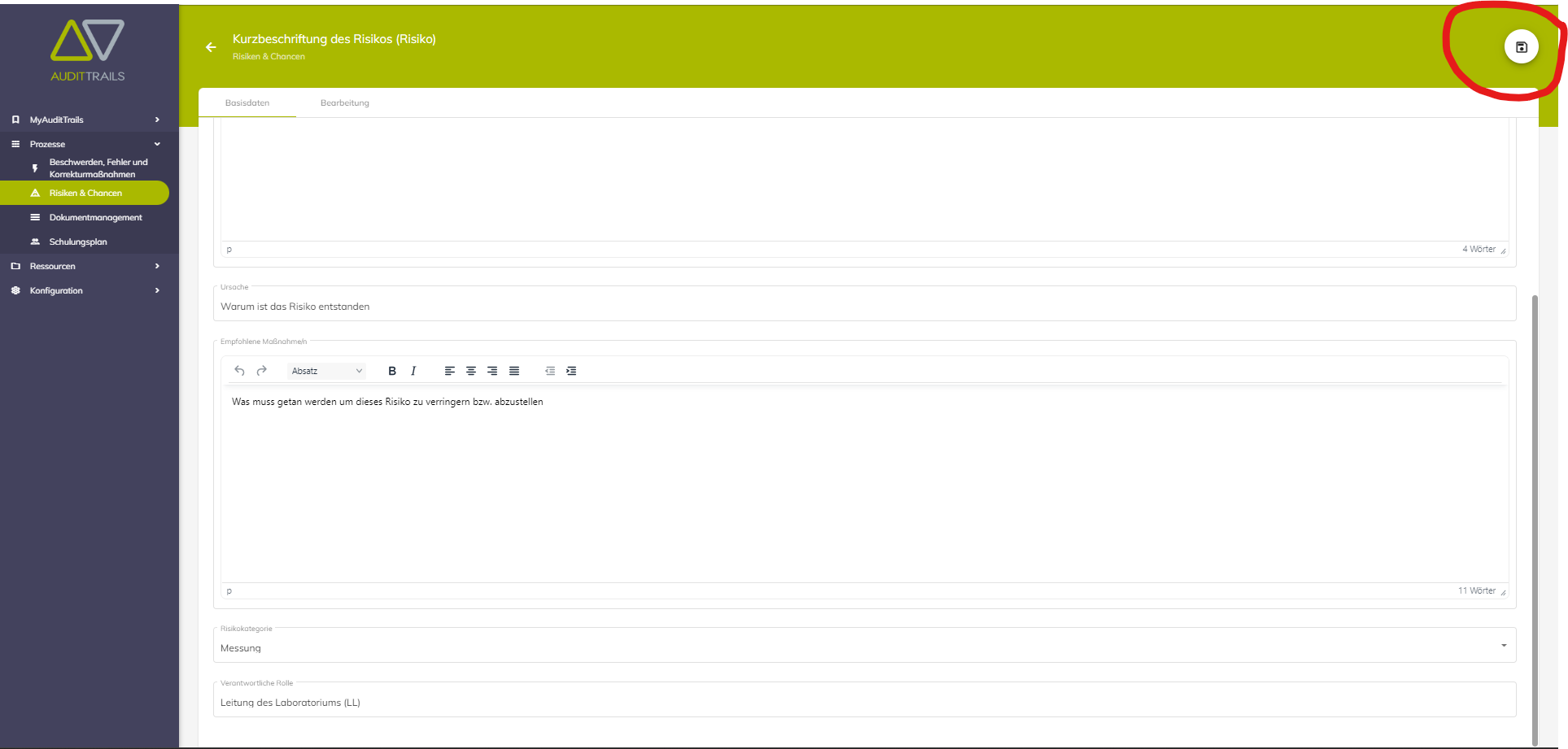
In the new risk, a title or a short description must be inserted first. In the text field "Description" the risk can be described in detail. Afterwards the cause of the risk is still entered.

In the text field "Measures" you can describe what would be necessary to reduce this risk. Afterwards, a corresponding category is selected. There are 7 categories to choose from (human, environment, measurement, machine, material, method and management), the Ishikawa diagram explains more about these categories.
Finally, it must be defined in which area (roles) the responsibility of the risk lies.

After all fields have been filled, the newly created risk can be saved. The "Save" button is located in the upper right corner.
War dieser Artikel hilfreich?
Das ist großartig!
Vielen Dank für das Feedback
Leider konnten wir nicht helfen
Vielen Dank für das Feedback
Feedback gesendet
Wir wissen Ihre Bemühungen zu schätzen und werden versuchen, den Artikel zu korrigieren